In today’s fast-evolving AI landscape, enterprises operating at enterprise-wide scale face the challenge of managing a growing number of AI tools while ensuring data security, compliance, and operational efficiency. As AI technologies continue to evolve, organizations must adapt their governance frameworks and policies to effectively manage new risks and opportunities. Creating an approved AI tools list is a critical step toward governing AI usage effectively. However, a static list tucked away in a document is not enough. To truly operationalize AI governance, the approved tools list must live where your people work—seamlessly integrated into daily workflows, backed by clear criteria, and enforced with minimal friction. Workflow automation plays a key role in streamlining the management and enforcement of the approved AI tools list, ensuring efficient review, approval, and monitoring processes. This guide walks you through the step-by-step process to build, publish, enforce, and continuously improve an approved AI tools list that drives compliance and empowers your business. In addition, special governance and ethical considerations are required for ai generated content to ensure legal, regulatory, and ethical standards are met.
TL;DR
To operationalize an approved AI tools list successfully, start by defining clear, objective criteria that reflect your company’s data protection and compliance requirements. Avoid vague or subjective decisions; instead, specify what “approved” means in terms of data handling, identity verification, logging, and residency. When publishing the list, provide context beyond a simple allowed/blocked label—explain who can use each AI tool, for what purpose, and with which types of data. It’s also critical to control what input is entered into AI tools, guiding employees to avoid submitting sensitive data and to use data masking or anonymization techniques where appropriate.
Enforcement should be gentle but effective. Begin with observing AI usage, then warn users when they approach policy boundaries, and finally narrow the block to prevent high-risk actions—ideally at the browser level where AI prompts and uploads happen. To prove compliance, export human-readable CSV files that document decisions and map them to relevant frameworks such as SOC 2, ISO 27001, HIPAA, GDPR, or SOX. AI-powered automation can help ensure compliance by continuously monitoring documents and processes, promptly flagging any deviations to maintain regulatory adherence and process integrity. Finally, review your approved tools list regularly, at least quarterly, to reassess vendors, exceptions, and usage patterns.
Understanding AI Tools
AI tools are specialized software applications that leverage artificial intelligence and machine learning to automate, enhance, or streamline specific business tasks. These tools can range from simple automation scripts to advanced platforms powered by sophisticated AI models. Common categories include generative AI, which creates new content such as text, images, or video; conversational AI, which powers chatbots and virtual assistants; and predictive AI, which analyzes data to forecast trends or outcomes.
For businesses, understanding the capabilities and limitations of each AI tool is essential to maximize efficiency, reduce human error, and ensure that the right tool is used for the right process. Generative AI can accelerate content creation, while conversational AI can automate customer interactions and support. By evaluating how these AI tools fit into existing workflows, organizations can unlock new levels of productivity and maintain a competitive edge in a rapidly evolving market.
What Belongs on an Approved List (and Why)
An approved AI tools list should reflect the reality of your business’s AI usage, not just wishful thinking. Company size plays a significant role in determining the structure and complexity of your approved AI tools list—smaller organizations may need a simpler, more agile list, while larger enterprises often require more granular tiers and controls to address diverse workflows and risk profiles. Organize your list into five distinct tiers, each representing different levels of approval and risk:
- Approved: Tools fully authorized for production use within defined scope. For example, an AI model used internally for Q&A on labeled business data.
- Approved with Restrictions: Tools allowed under specific conditions such as role limitations or data constraints. For example, an AI tool permitted for marketing teams to generate public web content but prohibited from processing customer data.
- Provisional: Time-limited pilots with telemetry and guardrails to monitor usage and risks before full approval. Examples include piloting a new generative AI assistant for automating internal ticket triage, with access limited to IT staff and monitored for data leakage.
- Restricted: Tools allowed only in read-only or sandbox modes, such as public ChatGPT used for brainstorming but blocked from handling sensitive documents or source code.
- Blocked: Tools that are out of bounds due to lacking critical security features like Single Sign-On (SSO), training on your business data by default, or inability to export logs.
Each tier acts as a contract with your users, clearly defining who can use the tool, for what purpose, with which data, and until when (especially for provisional use). This clarity helps reduce human error and supports compliance with data protection policies.
The Criteria (Decide Before You Debate)
Before adding any AI tool to your approved list, evaluate it against a set of rigorous, predefined criteria that align with your operational framework and risk model. Key decision gates include:
- Identity & Access: Does the AI tool support SSO protocols like SAML or OIDC? Are multi-factor authentication (MFA) and least-privilege roles enforced? Can it integrate with your user provisioning system (e.g., SCIM)?
- Data Handling: Does the tool provide retention controls? Crucially, does it avoid training AI models on your customer or business data by default? Is there transparency around subprocessors, and can you enforce data residency requirements?
- Security: Are encryption standards robust for data in transit and at rest? How does the tool handle secrets? Is there a regular penetration testing cadence? What isolation models prevent data leakage?
- Privacy & Jurisdiction: Does the tool comply with Data Processing Agreements (DPA) and Standard Contractual Clauses (SCCs)? How does it handle Data Subject Access Requests (DSARs)? Is it compliant with HIPAA, GDPR, or other relevant regulations?
- Auditability: Can you access usage logs in CSV format with clear, plain fields? Are there admin audit trails and tenant-level exports to support evidence pipelines?
- Reliability: Does the vendor provide Service Level Agreements (SLAs), status pages, and timely incident communications?
- Safety: Are there prompt and response filtering mechanisms? How resistant is the tool to prompt injection attacks or jailbreaks? Prompt injection is a significant security risk for AI systems, as it can lead to data leakage or insecure output handling. Can you disable certain tool calls or restrict destinations?
- Contract: Are indemnity and intellectual property terms favorable? Is there a defined breach notification timeline, deletion SLA, and a right-to-exit clause with data export?
Weight each criterion based on your company’s specific AI risks and compliance priorities. Focus on the most critical risks and compliance areas to ensure clarity, effectiveness, and strategic alignment. Anything you’d confidently defend to your board should receive the highest weighting.
AI Applications and Use Cases
AI applications are transforming the way businesses operate, offering a wide range of use cases that drive efficiency and innovation. In content creation, AI-powered tools can generate blog posts, product descriptions, and video ads, freeing up human resources for higher-value work. In customer service, conversational AI agents provide real-time support, improving customer satisfaction and reducing operational costs.
Beyond these, AI applications extend to data analysis, where AI models sift through large datasets to uncover actionable insights, support decision making, and identify emerging trends. Marketing teams use AI for keyword research and SEO optimization, while HR departments automate routine tasks like resume screening. As businesses integrate AI into more processes, it’s critical to ensure robust data security, follow a clear approval process for new AI tools, and continuously assess AI risks to maintain compliance and protect sensitive business data.
The Operational Loop (From Request to Renewal)
Operationalizing your approved AI tools list involves a continuous loop that starts with intake and ends with renewal. Automating tasks within this operational loop can significantly improve efficiency and reduce manual effort, allowing teams to focus on higher-value activities. Here’s how to build this process:
- Intake: Provide a simple, public form where users request access to a new AI tool. Collect essential information such as who is requesting, the business problem to solve, data classes involved, expected volume, desired tier (pilot or production), and business owner.
- Triage: Conduct a fast risk screening using your criteria to assign a preliminary score—green (low risk), yellow (medium risk), or red (high risk). Well-defined approval processes are critical here to ensure efficient routing, tracking, and decision-making for each request. Yellow scores typically lead to provisional status with telemetry and time-boxed pilots.
- Pilot (Provisional): Use browser-level controls to observe usage, warn users when they approach policy boundaries, and narrow blocks as needed. Export weekly CSV logs capturing usage, sensitive data warnings, blocks, and exception requests.
- Decision: Based on pilot data and risk assessment, assign the tool to Approved, Restricted, or Blocked tiers. Publish the tier with clear definitions of who can use the tool, for what data, and under which conditions. Record contracts, subprocessors, controls, and ownership.
- Enforce & Educate: Implement browser-level warnings and blocks for out-of-bounds actions, such as sending Protected Health Information (PHI) to a public AI model. Provide in-product coaching messages like “Use < approved tool> for customer data” to guide users.
- Renew: Conduct quarterly reviews to re-score vendors, reassess exceptions, confirm log integrity, and re-attest subprocessors. This continuous improvement ensures your approved AI tools list stays current and effective.
Publishing the List (Make It Usable)
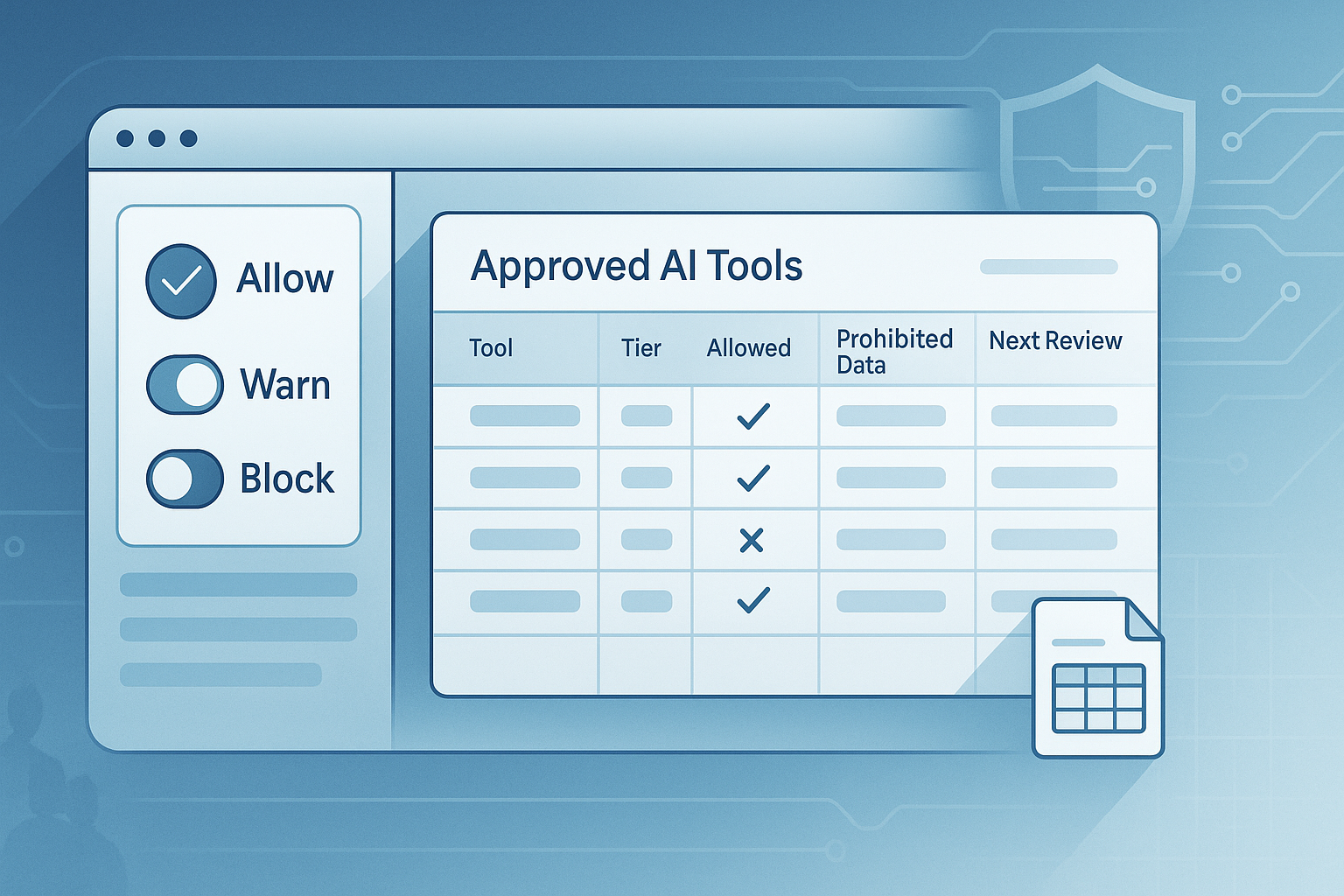
An approved AI tools list is only valuable if it’s easy to use and accessible where teams work. Aim for a single-page, searchable table that includes columns for Tool, Tier, Who Can Use It, Allowed Data, Prohibited Data, Notes, Owner, and Next Review Date. Some organizations prefer a single platform that integrates multiple AI functionalities—such as text, image, and code generation—to simplify tool selection and management.
Additionally, include a concise “What to Use When” section that guides different teams or tasks on the appropriate AI tools. For example, marketing teams might be directed to use AI-powered content creation tools to write web pages, business proposals, or social media posts, while finance uses restricted tools for internal analysis. Highlight tools that offer workflow automation or integrations with collaboration platforms like Microsoft Teams to further streamline processes.
To streamline adoption, provide a one-click Request Access link next to each tool that pre-fills the intake form with the tool’s name, simplifying the approval process.
Here’s an example table snippet:
Tool | Tier | Who | Allowed Data | Prohibited Data | Notes | Next Review |
|---|---|---|---|---|---|---|
Copilot | Approved (restricted) | Finance, Engineering | Internal coding notes | Customer financials | No production credentials in prompts | 2026-02-01 |
Claude | Provisional (30 days) | Marketing (pilot) | Public web copy | Customer identifiers | Observe + Warn only | 2025-12-31 |
ChatGPT | Restricted (read-only) | All employees | Brainstorming | PHI/PII/source code | Blocks on sensitive combos | 2026-01-15 |
Google Gemini | Free tier | All employees with Google Accounts | General business queries | Sensitive/confidential data | Free to use for personal and enabled Workspace accounts; supports writing and content generation | 2026-01-15 |
Note: Some tools offer a free tier or complimentary features for testing and development. Consider tools with Microsoft Teams integration for workflow automation. Single platform solutions can reduce complexity for teams needing multiple AI capabilities.
Enforcement Patterns That Won’t Backfire
Enforcement is a delicate balance between security and user experience. Here are proven patterns to avoid backlash:
Pattern 1 — Educate Before You Block: Start with observation only, then move to warnings with clear alternatives, and block only the most egregious violations. This approach reduces frustration and encourages compliance.
Pattern 2 — Exceptions with Time-to-Live (TTL): Every exception should have a clear owner, ticket number, defined scope, and an automatic expiry date. Your CSV evidence should capture exception IDs and TTLs to maintain audit trails.
Pattern 3 — Role-Scoped Approvals: Tie approved AI tools to SSO groups and sync the allowlist with your HRIS or Identity Provider (IDP) systems. This ensures that access reflects current organizational roles and reduces human error.
Pattern 4 — Clear Messages: Use coaching language in warnings and blocks. For example, warn: “This looks like customer data headed to a public AI tool. Try <approved tool> or request a one-time exception (2 minutes).” Block: “We blocked this to protect customers. Use <approved tool> or request a one-time exception (expires automatically).” The tone of your messages is a key control—coaching beats shame.
Metrics Your Execs Will Actually Read
To demonstrate the value of your approved AI tools list and governance program, track and report metrics that matter to executives:
- AI Interactions per Month: Measures adoption and usage trends.
- Percentage of Unsanctioned Tools: Indicates governance health and shadow AI exposure.
- Warn-to-Block Ratio: Reflects maturity of enforcement and user education.
- Mean Time to Detection: Shows operational readiness in identifying unauthorized AI usage.
- Exception TTL Compliance: Tracks discipline in managing temporary exceptions.
- Top Blocked Patterns: Highlights risk hotspots for focused remediation.
Ensure these metrics come from simple, human-readable CSV exports that auditors and execs can easily understand.
Templates You Can Copy-Paste
To jumpstart your approved AI tools list and process, use these templates:
Allowlist (CSV Starter)
tool_name | description | allowed_data | prohibited_data | notes |
|---|---|---|---|---|
ExampleAI | AI assistant for document review and generating content | documents, spreadsheets, other content | PII, financial data | Supports writing, editing, and content generation. Configuration files may be required for setup or management. |
DesignBot | AI-powered design tool | images, videos, other content | confidential designs | Enables generating content and collaborative writing for business proposals and web pages. |
These templates help you quickly identify which AI tools are permitted, what data types (including other content such as web pages, business proposals, and designs) are allowed or restricted, and any special requirements like configuration files for deployment or management. Be sure to note if a tool specializes in generating content or writing to streamline enterprise workflows.
1) Allowlist (CSV Starter)
tool,tier,who,allowed_data,prohibited_data,owner,next_review,notes
"Microsoft Copilot","approved_restricted","Finance;Engineering","internal_only","customer_financials","alex.lee","2026-02-01","No production credentials"
"Claude","provisional_30d","Marketing","public_web_copy","pii;phi;source_code","maya.khan","2025-12-31","Observe+Warn"
"ChatGPT","restricted_read_only","All Employees","brainstorming","pii;phi;source_code","sec.gov","2026-01-15","Blocks on sensitive combos"
2) Exception Request Fields
- Requestor
- Manager
- Tool
- Data Classes
- Business Purpose
- Time-box (start/end)
- Ticket/Case Number
- Approval (Security/Legal)
- Success Criteria
3) Decision Memo (One-Pager)
- Summary: Tool, Tier, Scope
- Risk Summary: Top 3 mitigations
- Controls: Identity, Data Handling, Logging
- Evidence: CSV sample, DPA link, subprocessors
- Owner and Next Review Date
Governance in the Browser (Why Here?)
Most risky AI interactions happen in browsers—when users submit prompts, upload documents, or copy-paste data into AI systems. A browser extension acts as the first line of defense by:
- Detecting the moment of risk and delivering humane, context-aware messages.
- Enforcing allow, warn, or block rules based on destination and user role.
- Emitting CSV logs with fields auditors need: timestamp, policy ID, decision, subject role, tags, destination, and framework mapping.
An intelligent assistant can further streamline enforcement and provide real-time guidance to users, helping automate policy compliance and support productivity during AI interactions.
This lightweight endpoint telemetry complements your existing CASB, DLP, or EDR tools, enabling real-time transcription of AI usage and seamless integration with your compliance pipeline.
AI Literacy and Training
Building AI literacy across your organization is key to safely and effectively adopting AI tools and systems. AI literacy means equipping employees with the knowledge to understand how AI models work, what their strengths and limitations are, and how to identify potential AI risks such as bias or data leakage. Comprehensive training programs help teams develop practical skills in using AI tools, from data analysis to working with conversational AI platforms.
Investing in AI training not only empowers your workforce to leverage the full potential of AI systems, but also strengthens your organization’s ability to spot and mitigate risks early. By fostering a culture of continuous learning around AI tools and models, businesses can ensure that their teams are prepared to use these technologies responsibly and in alignment with company policies and compliance requirements.
AI Monitoring and Optimization
Effective AI governance doesn’t end with tool approval—it requires ongoing AI monitoring and optimization to ensure systems remain secure, accurate, and aligned with business goals. AI monitoring involves tracking the real-time performance of AI tools and models, detecting anomalies, and ensuring compliance with predefined rules and data protection standards. Optimization focuses on refining AI models for better accuracy, speed, and reliability, often by analyzing feedback from review teams or marketing teams and adjusting parameters accordingly.
Leveraging platforms that integrate with environments like Google Workspace or support seamless configuration file updates can streamline this process. Regular monitoring helps identify issues such as model drift, data quality problems, or intellectual property risks, while optimization ensures your AI solutions continue to deliver a competitive advantage. By embedding these practices into your operational framework, you can operationalize AI at scale, maintain compliance, and drive continuous improvement across your AI-powered business processes.
Light Product Note (Optional)
For teams seeking a no-code approach to translate policy into runtime enforcement, Govnr’s Policy-to-Rule engine offers a streamlined solution. Simply upload your AI acceptable-use policy document (PDF or DOC), review suggested guardrails with built-in Regex detectors, and publish enforcement rules to the Govnr Browser Extension. This enables an observe → warn → block lifecycle with audit-ready CSV logs mapped to compliance frameworks, all without the need for complex endpoint projects.
FAQs
How often should we refresh the approved AI tools list?
Quarterly reviews are a good default cadence. Refresh sooner if a vendor changes subprocessors, retention policies, or if new compliance issues arise.
Do we need to capture full AI prompts?
Usually not. Minimal, privacy-respecting context combined with clear allow/warn/block decisions builds more trust and reduces privacy concerns.
What if a team really needs a blocked tool?
Use a provisional tier with a time-boxed pilot, telemetry, and a clear exit or upgrade path to approved status.
How do we handle “hidden” AI features inside products we already use?
Treat these features like standalone AI tools: document their scope, assign a tier, and enforce usage policies at the moments of risk such as submitting or uploading data.
Key Takeaways
An approved AI tools list is a foundational element to operationalize AI governance, enabling your business to safely integrate AI capabilities while managing AI risks and compliance issues. By defining clear criteria, publishing contextualized lists, enforcing policies gently at the browser level, and providing continuous evidence through CSV exports, enterprises can ensure data security, reduce human error, and maintain regulatory readiness. Leveraging a unified platform that supports seamless integration with existing systems and workflows empowers your teams to create, scale, and automate AI solutions with confidence and control.
Start with a curated list, engage your review team, and embed AI governance into your operational framework to turn AI from a compliance challenge into a competitive advantage.
No responses yet